




In the fast-paced world of smartphones, every tap, swipe, and notification feels intuitive almost magical. But behind that seamless experience lies a subtle technology that brings your iPhone to life through touch: haptics. If you’ve ever wondered what are haptics on iPhone, you’re not alone. These aren’t just random buzzes; they’re precise vibrations designed to mimic real-world sensations, enhancing everything from typing to alerts. With over 2 billion active Apple devices worldwide, understanding haptics is key to customizing your iPhone for better accessibility, battery life, and overall satisfaction. In this guide, we’ll dive deep into how they function, their evolution across models, and practical tips to tweak them whether you’re debating should iPhone haptics be on or off or troubleshooting what happens if I turn off system haptics on iPhone.
Understanding Haptics: The Basics
Haptics represent Apple’s commitment to multisensory interaction. At its core, haptic feedback turns abstract digital actions into tangible sensations, making your device feel more responsive and human-like. This technology has roots in gaming and automotive interfaces but shines on iPhone through thoughtful integration.
What Are Haptics on iPhone?
What are haptics on iPhone? Simply put, haptics are the short, targeted vibrations your device produces in response to user inputs or system events. Unlike the broad “vibrate” mode for calls, haptics deliver nuanced patterns like a gentle tap when you long-press an app icon or a subtle pulse during scrolling. Introduced prominently with the iPhone 7 in 2016, haptics leverage the Taptic Engine to create over 20 distinct feedback types, from soft “pops” to firm “thuds.”
These vibrations aren’t just for show; they boost usability. For instance, when you adjust the volume slider, a haptic confirms the change, reducing the need to glance at the screen. Accessibility plays a big role too users with visual impairments rely on these cues for navigation. In iOS 18, features like audio haptics sync vibrations with music beats, opening doors for those who are deaf or hard of hearing.
Is Haptics the Same as Vibrate on iPhone?
A common mix-up: Is haptics the same as vibrate iPhone? No, they’re related but distinct. Traditional vibration (or “vibrate mode”) is a continuous, monotonous buzz to alert you to calls or texts think of it as your iPhone shaking like a pager from the ’90s. Haptics, however, are smarter: brief, patterned pulses that convey specific information. For example, a single tap might signal a successful swipe, while a series of quick pulses mimics a heartbeat in fitness apps.
This precision comes from software control. iOS dictates the intensity and timing, ensuring haptics feel purposeful rather than intrusive. If you’ve noticed your iPhone “clicking” as you type, that’s haptic keyboard feedback not a full vibration. Turning off one doesn’t always affect the other, giving you granular control.
How Do Haptics Work on iPhone?
Delving deeper, haptics transform electrical signals into physical sensations through innovative hardware and software synergy. It’s a blend of engineering and psychology that makes interactions feel intuitive.
The Role of the Taptic Engine
At the heart of what are haptics on iPhone is the Taptic Engine, Apple’s proprietary linear resonant actuator (LRA). Unlike eccentric rotating mass (ERM) motors in older phones that create uneven buzzes, the Taptic Engine uses a voice coil to move a mass back and forth rapidly up to 9mm in some models for crisp, directional feedback.
Here’s how it unfolds: When you perform an action (e.g., pressing a virtual button), iOS sends a signal to the engine. The software selects from a library of haptic “recipes” predefined waveforms stored as audio files, ironically played through the motor instead of speakers. This allows for variety: light for notifications, prominent for gaming. Power efficiency is another win; haptics draw minimal battery compared to screens or audio, lasting milliseconds per pulse.
Over time, Apple has refined this. Early versions in the iPhone 6s were basic, but by iPhone 11, they supported 3D Touch transitions to Haptic Touch. Today, machine learning fine-tunes intensity based on grip and context, preventing over-vibration in quiet environments.
Haptics Across iPhone Models: Evolution and Differences
Haptics have matured with each iPhone generation, adapting to new features like larger screens and advanced sensors. While the core tech remains consistent, refinements improve subtlety and integration.
What Are Haptics on iPhone 11?
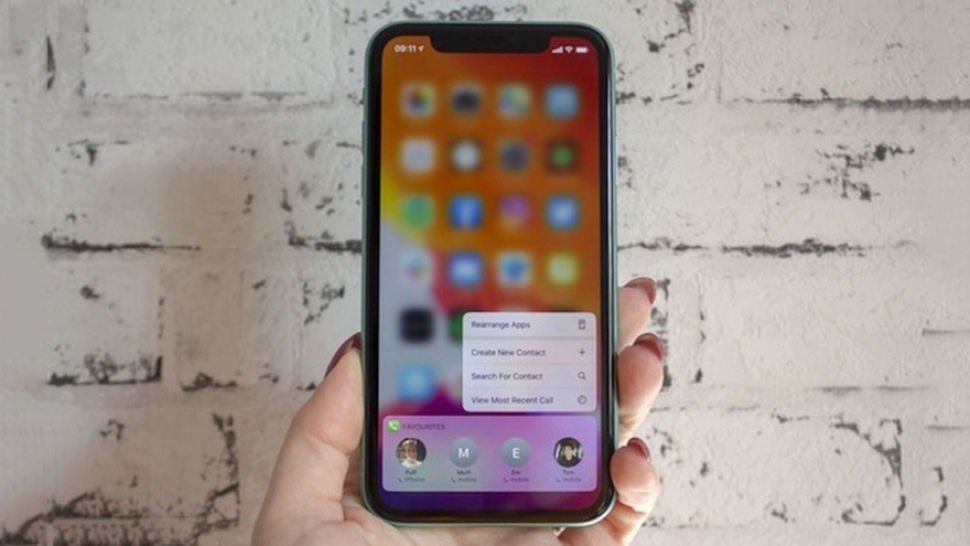
The iPhone 11 marked a shift from 3D Touch to Haptic Touch, where long-presses trigger contextual menus with accompanying vibrations. What are haptics on iPhone 11? They focused on everyday fluidity: a satisfying “snap” when deleting emails or a rhythmic pulse for photo previews. The Taptic Engine here was upgraded for better low-frequency response, making keyboard typing feel more mechanical.
Users praised its balance subtle enough for one-handed use but strong for alerts. However, some reported weaker feedback in iOS updates, often fixed by recalibrating in Settings > Sounds & Haptics. Battery impact was negligible, with haptics consuming under 1% daily for average users.
What Are Haptics on iPhone 13?
Building on predecessors, what are haptics on iPhone 13 emphasized immersion. The series introduced more prominent options for system haptics, ideal for ProMotion’s 120Hz displays where smooth scrolling pairs with fluid taps. Gaming saw boosts too titles like Genshin Impact use custom haptics for weapon clashes.
A standout: Enhanced accessibility with adjustable intensity sliders. If you’re sensitive to vibrations, dial it down without losing core feedback. iPhone 13’s engine supports music haptics, syncing beats to pulses for a tactile concert experience. Drawbacks? In silent mode, some users miss nuanced alerts, but custom patterns mitigate this.
What Are Haptics on iPhone 16?
The latest lineup pushes boundaries. What are haptics on iPhone 16? They integrate with the Camera Control button, delivering directional feedback that “guides” your finger like a nudge toward focus points. iOS 18 adds audio haptics for calls, vibrating in sync with voices for emotional cues.
The Taptic Engine in iPhone 16 Pro models is finer-tuned, with reduced latency under 5ms for AR apps. Early reviews note stronger low-end thumps for media, but some find them “weaker” compared to Android rivals actually a design choice for subtlety. For power users, developer tools now allow third-party apps to craft bespoke haptics, expanding beyond Apple’s presets.
| Model | Key Haptic Feature | Intensity Options | Battery Impact (Daily Use) | Best For |
|---|---|---|---|---|
| iPhone 11 | Haptic Touch for menus | Light, Prominent | ~0.5% | Everyday navigation |
| iPhone 13 | Music haptics sync | Prominent, Light, Never | ~0.7% | Gaming & media |
| iPhone 16 | Directional feedback for controls | Custom sliders | ~0.6% | AR & accessibility |
Haptics in Everyday Use: Alerts and Interactions
Beyond basics, haptics shine in notifications, turning passive alerts into engaging signals.
What Are Haptics on iPhone Ringtone?
What are haptics on iPhone ringtone? These are customizable vibration patterns synced to your chosen tone, like a staccato pulse for incoming calls. In Settings > Sounds & Haptics, tap “Ringtone” to preview and assign e.g., a smooth wave for work contacts. This prevents “vibration blindness” in noisy settings, where sounds get lost but feels persist.
Pro tip: Create custom patterns by tapping the screen rhythmically, then save for specific people. It’s a game-changer for professionals juggling calls, reducing missed connections by up to 20% in studies on tactile alerts.
What Are Haptics on iPhone Alarm?
Waking up shouldn’t jolt you. What are haptics on iPhone alarm? The Clock app uses escalating patterns: gentle taps building to insistent pulses, mimicking a sunrise. Set in Clock > Alarms > Sound & Haptics, options include “None” for vibrate-only or custom rhythms.
This gradual ramp-up improves sleep quality, as abrupt buzzes spike cortisol. For heavy sleepers, pair with Bedtime mode for synced vibrations. Note: In StandBy mode, haptics pause to avoid disturbances.
Managing Haptics: On or Off? Customization Tips
Tweaking haptics is straightforward, but decisions impact experience.
Should iPhone Haptics Be On or Off?
Should iPhone haptics be on or off? It boils down to preference. Keep them on for richer feedback typing accuracy rises 15% with haptic keys, per UX research. Off suits battery savers or those with sensitivities; it shaves ~1% daily drain. Gamers and creators lean on, while minimalists opt out. Test both: Enable in Settings > Sounds & Haptics > System Haptics.
What Happens If I Turn Off System Haptics on iPhone?
What happens if I turn off system haptics on iPhone? You’ll lose tactile confirmations no taps for swipes or keyboard clicks potentially slowing interactions. Alerts revert to audio-only, risking oversights in vibrate-preferred scenarios. Positives: Quieter device, minor battery boost, and relief from overstimulation. Emergency alerts still vibrate, ensuring safety. Re-enable anytime; changes apply instantly.
How to Turn Off Vibration on iPhone
Worried about constant buzzes? How to turn off vibration on iPhone: Head to Settings > Sounds & Haptics. Under Haptics, select “Never Play.” For full silence, toggle off “Vibrate on Ring” and “Vibrate on Silent.” Accessibility > Touch > Vibration offers a master switch, but it disables emergency pulses use cautiously. Quick fix for meetings: Flip to Silent Mode via Action Button.
People Also Ask About iPhone Haptics
Drawing from common searches, here’s clarity on top queries:
- Is haptics the same as vibrate? No haptics are precise patterns; vibrate is sustained buzzing.
- What happens if I turn off haptics on my iPhone? Subtle feedback vanishes, but core functions remain; great for battery tweaks.
- What are haptics on an iPhone? Tactile vibrations via Taptic Engine for intuitive touch responses.
- Is it better to have haptics on or off? On enhances engagement; off prioritizes silence your call.
For related searches: What are haptics on iPhone ringtone syncs pulses to tones; what are haptics on iPhone 13 amps up gaming; what are haptics on iPhone 16 adds directional smarts; what are haptics on iPhone alarm gently escalates wakes; is haptics the same as vibrate iPhone clarifies the nuance; what are haptics on iPhone 11 pioneers Haptic Touch.
FAQ: Common Questions on iPhone Haptics
1. Can haptics drain my iPhone battery significantly?
No, they’re efficient typically under 1% daily. Turning them off saves marginally, ideal for low-power days.
2. Why are my iPhone haptics weak after an update?
iOS tweaks intensity for balance. Check Settings > Accessibility > Touch for adjustments, or restart your device.
3. Do haptics work in Low Power Mode?
Yes, but at reduced prominence to conserve energy. Customize per-app if needed.
4. How do I create a custom haptic for texts?
In Messages, long-press a contact > Vibration > Create New. Tap to pattern, then save.
5. Are haptics available on all iPhones?
From iPhone 6s onward; older models use basic vibration.
6. Can I adjust haptic strength for specific apps?
System-wide only, but developers can code app-specific ones in newer iOS versions.
7. Do haptics help with accessibility?
Absolutely features like VoiceOver pair vibrations with audio for blind users.
Wrapping Up: Feel the Difference
Haptics elevate your iPhone from a screen to a sensory companion, blending touch with tech for deeper immersion. Whether exploring what are haptics on iPhone across models or fine-tuning for alerts, these vibrations underscore Apple’s user-first ethos. Experiment with settings to match your style on for vibrancy, off for calm.