





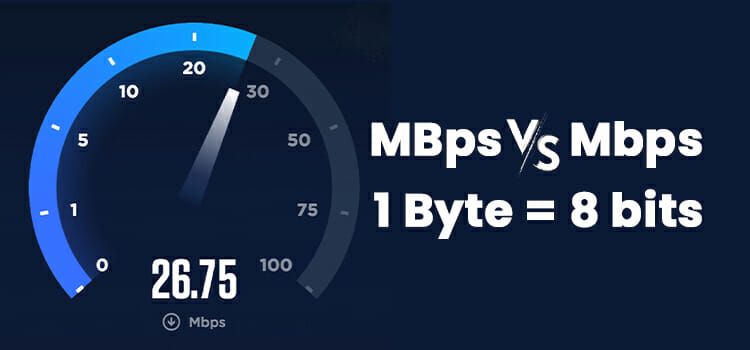
In today’s hyper-connected world, understanding data transfer speeds is essential for everyone from casual internet users streaming videos to IT professionals managing enterprise networks. Terms like “bytes” and “Mbps” pop up constantly in download estimates, bandwidth specs, and speed test results, yet many people confuse the two units. Bytes measure data size, while Mbps (megabits per second) measures transfer rate. Misinterpreting them can lead to unrealistic expectations, wasted time, or even costly upgrades.
This guide demystifies the relationship between bytes and Mbps. You’ll learn the bytes to mbps formula, explore a bytes to mbps converter, and discover practical examples. Whether you’re troubleshooting slow downloads or optimizing cloud backups, mastering this conversion empowers smarter decisions. Let’s dive in.
Why Converting Bytes to Mbps Matters
Data volume and speed are two sides of the same coin. A 1 GB file might download in minutes on a fast connection but take hours on a sluggish one. Internet providers quote speeds in Mbps, while file sizes appear in bytes (KB, MB, GB). Bridging this gap helps you:
- Estimate download/upload times accurately.
- Compare ISP plans against real-world needs.
- Debug network bottlenecks.
- Set realistic expectations for cloud storage, gaming, or 4K streaming.
Without conversion skills, you risk overpaying for bandwidth or blaming your device when the issue lies in unit mismatch.
Understanding the Units: Bytes vs. Bits
Bytes: The Building Block of Data
A byte equals 8 bits. It’s the standard unit for file sizes because modern systems process data in 8-bit chunks. Common prefixes:
- KB (Kilobyte): 1,024 bytes
- MB (Megabyte): 1,024 KB or 1,048,576 bytes
- GB (Gigabyte): 1,024 MB
Bits: The Language of Speed
Network speeds use bits per second (bps) because transmission happens bit by bit. Prefixes follow:
- Kbps: 1,000 bps
- Mbps: 1,000 Kbps or 1,000,000 bps
- Gbps: 1,000 Mbps
Key Distinction: 1 byte = 8 bits. This 8:1 ratio forms the backbone of every bytes to mbps conversion.
The Bytes to Mbps Formula Explained
The core bytes to mbps formula is straightforward:
Speed (Mbps) = (Data Size in Bytes × 8) ÷ (Time in Seconds × 1,000,000)Or, rearranged to find time:
Time (seconds) = (Data Size in Bytes × 8) ÷ (Speed in Mbps × 1,000,000)Step-by-Step Derivation
- Convert bytes to bits: Multiply by 8.
- Account for “mega” in Mbps: Divide by 1,000,000 (since 1 Mbps = 1,000,000 bits/second).
- Divide by time (if calculating speed) or multiply by time (if estimating duration).
Example: Downloading a 100 MB file in 20 seconds.
- 100 MB = 100 × 1,048,576 bytes = 104,857,600 bytes
- Bits = 104,857,600 × 8 = 838,860,800 bits
- Mbps = 838,860,800 ÷ (20 × 1,000,000) = 41.94 Mbps
This matches real-world speed test tools.
Bytes to Mbps Converter: How to Use One
Manual math works, but a bytes to mbps converter saves time. Reputable online tools (like those on Cloudflare or Omni Calculator) let you input:
- File size (bytes, KB, MB, GB)
- Time (seconds, minutes)
- Desired output (Mbps, time, or size)
Pro Tip: Always verify the tool uses 1,000 (decimal) for Mbps and 1,024 (binary) for MB/GB where appropriate—most consumer tools do.
Bytes to Mbps Calculator in Action
Imagine you’re uploading a 500 MB video to YouTube. Your ISP promises 50 Mbps upload. How long will it take?
Using the bytes to mbps calculator logic:
- 500 MB = 500 × 1,048,576 = 524,288,000 bytes
- Bits = 524,288,000 × 8 = 4,194,304,000 bits
- Time = 4,194,304,000 ÷ (50 × 1,000,000) ≈ 83.89 seconds (~1 minute 24 seconds)
Real-world overhead (TCP/IP, encoding) adds 10–20%, so budget ~100 seconds.
Common Conversion Scenarios
Scenario 1: ISP Speed vs. Download Time
| File Size | Connection Speed | Theoretical Time | Real-World Estimate (+15% overhead) |
|---|---|---|---|
| 100 MB | 25 Mbps | 33.6 seconds | ~38.6 seconds |
| 1 GB | 100 Mbps | 80 seconds | ~92 seconds |
| 10 GB | 500 Mbps | 160 seconds | ~184 seconds |
| 100 GB | 1 Gbps | 800 seconds | ~920 seconds (15.3 minutes) |
Scenario 2: Mobile Data Planning
A 2-hour 1080p Netflix stream consumes ~3 GB. On a 10 Mbps 4G connection:
- Time = (3 × 1,073,741,824 × 8) ÷ (10 × 1,000,000) ≈ 2,580 seconds (~43 minutes)
Buffering included, plan for 45–50 minutes of active download.
Bits vs. Bytes: Why the Confusion Persists
ISPs use Mbps (bits) for marketing—100 Mbps sounds faster than 12.5 MB/s (bytes per second). The actual transfer rate in bytes:
MB/s = Mbps ÷ 8So 100 Mbps = 12.5 MB/s theoretical max. After protocol overhead (~10–15%), expect ~10–11 MB/s.
Tools for Bytes to Mbps Online
Reliable bytes to mbps online converters:
- Google Calculator: Type “500 MB in 30 seconds to Mbps”
- Cloudflare Speed Test
- Calculator.net Bandwidth Calculator
Bookmark one for instant convert bytes to mbps tasks.
Advanced Considerations
Protocol Overhead
TCP/IP, HTTP, encryption reduce effective throughput by 5–20%. Use 85% of advertised speed for planning.
Binary vs. Decimal Confusion
- Storage: 1 MB = 1,024² bytes (binary)
- Networking: 1 Mbps = 1,000² bits/second (decimal)
High-precision tools let you toggle both.
Burst vs. Sustained Speeds
ISPs often allow short bursts above advertised rates. Large file transfers reveal true sustained Mbps.
Practical Tips for Everyday Users
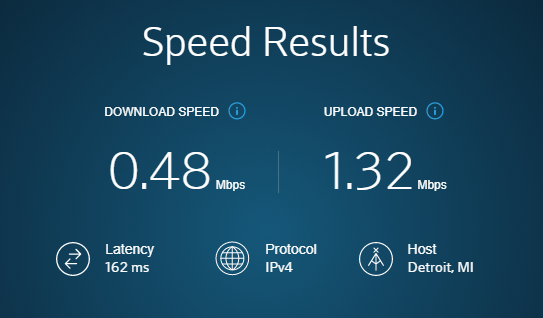
- Test Your Real Speed: Use Ookla Speedtest or Fast.com—note results in Mbps.
- Calculate Before Big Downloads: Steam games (50+ GB) on 50 Mbps? ~2.5 hours minimum.
- Upgrade Strategically: If 4K streaming buffers on 25 Mbps, aim for 50+ Mbps.
- Monitor Usage: Routers with QoS show per-device Mbps in bytes/second.
FAQ
1. What is the exact bytes to Mbps formula?
Mbps = (Bytes × 8) ÷ (Seconds × 1,000,000)Multiply bytes by 8 to get bits, then divide by seconds and 1,000,000.
2. How do I convert bytes to MBps (megabytes per second)?
Divide Mbps by 8. Example: 40 Mbps = 5 MBps theoretical.
3. Why does my 100 Mbps connection only show 12 MB/s?
Because 100 Mbps = 12.5 MB/s max; overhead reduces it further to ~10–11 MB/s.
4. Can I use a bytes to Mbps converter for upload speeds?
Yes. The formula works bidirectionally—input file size and time to find required Mbps.
5. What’s the difference between Mbps and MBps?
Mbps = megabits per second (speed). MBps = megabytes per second (often confused in file transfers). 1 MBps = 8 Mbps.
6. How accurate are online bytes to Mbps calculators?
Very accurate for theoretical estimates. Real-world results vary due to network congestion and overhead.
7. Is 25 Mbps enough for a 1 GB file download?
Yes~40 seconds theoretical, ~45–50 seconds with overhead.
Conclusion
Mastering the bytes to mbps calculator transforms guesswork into precision. Whether estimating download times, validating ISP claims, or planning data budgets, the simple formula multiply by 8, divide by 1,000,000 and time unlocks clarity.
Next time you see a speed test result or file size, grab a bytes to mbps converter or run the math yourself. Try it now: pick a recent download, note its size and duration, and calculate the effective Mbps. You’ll likely discover your connection performs better (or worse) than advertised.