 11
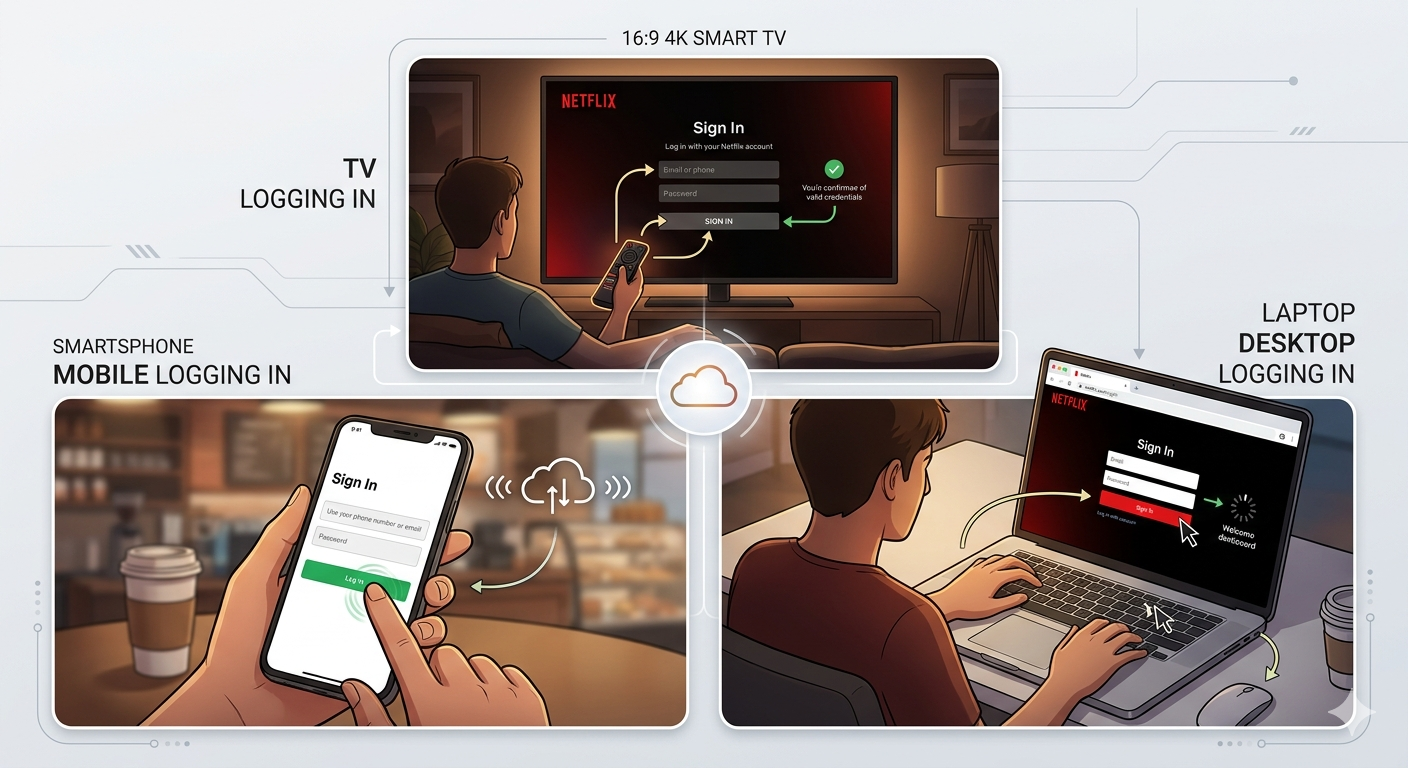
In an era where streaming dominates home entertainment, Netflix remains a leading platform for Netflix series, Netflix movies, and original content that keeps millions hooked. Whether you’re eager to dive into gripping thrillers like Untamed Netflix or action-packed stories such as Hostage Netflix, a smooth Netflix login is your gateway to endless entertainment across all your devices.
This comprehensive guide to Netflix login on TV, mobile, and desktop devices offers step-by-step instructions, troubleshooting tips, and insights into Netflix UK plans. It helps both new users and long-time subscribers optimize their experience, especially for those searching Netflix login UK, Netflix sign in with provider, or Netflix com subscription.
Netflix delivers personalized recommendations, offline downloads, and multi-device support, but login hurdles can frustrate users. With households using multiple screens from big living room TVs to phones on the go knowing how to sign in reliably saves time and enhances enjoyment. In the UK, where Netflix UK integrates with providers like Sky, seamless access is even more valuable.
Effective logins also support family sharing, profile management, and switching between plans without disruption.
Desktop access via browser provides the fullest control for browsing, managing accounts, and streaming in high quality.
Steps for Netflix Sign In on Computer:
Tips: Bookmark the site or use password managers for quick access. For added security, enable two-factor authentication if available. Desktop is ideal for Netflix downloads management and profile customization.
The mobile app offers optimized streaming with downloads for offline viewing perfect for commuting or travel.
On iPhone or Android:
Advanced Mobile Features:
For Netflix login UK users, the experience mirrors global versions with localized content.
The big screen delivers the best immersion for Netflix series and movies. Modern smart TVs, streaming sticks, and consoles support easy sign-ins.
Common Methods:
Popular Devices:
Pro Tip: Ensure your TV connects to stable Wi-Fi for smooth 4K streaming on higher plans.
Understanding Netflix plans UK helps match your needs for simultaneous streams, resolution, and ads.
Current Netflix UK Plans (as of 2026):
| Plan | Monthly Price | Simultaneous Streams | Resolution | Ads? | Downloads | Best For |
|---|---|---|---|---|---|---|
| Standard with Ads | £5.99 | 2 | Full HD (1080p) | Yes | Limited | Budget viewers |
| Standard | £12.99 | 2 | Full HD (1080p) | No | Yes | Most households |
| Premium | £18.99 | 4 | 4K Ultra HD + HDR | No | Yes | Families, home cinema fans |
Extra members can be added for households with non-cohabitants.
Regularly review signed-in devices for security.
Once signed in, explore trending titles. Untamed Netflix brings thrilling mystery with Eric Bana in a national park setting, while other hits in Netflix movies and series deliver variety for every mood.
Use profiles to separate recommendations for kids, couples, or solo viewing.
For Netflix com subscription management, visit your account page on desktop for upgrades, cancellations, or billing.
1. How do I do a Netflix login on my Smart TV?
Open the app, choose Sign In, and use QR code or activation code via netflix.com/tv on your phone or computer.
2. What are the current Netflix plans UK?
Standard with Ads (£5.99), Standard (£12.99), and Premium (£18.99). Check Netflix for latest details.
3. Can I sign in with my Sky provider for Netflix?
Yes Netflix sign in with provider works seamlessly on Sky devices. Link your accounts for easy billing.
4. How much is a Netflix yearly subscription UK?
Netflix bills monthly; no official yearly plan, but calculate based on your chosen tier.
5. Why can’t I log in on my mobile device?
Update the app, check internet, or reset password. Ensure you’re using the official Netflix app.
6. What should I watch on Netflix UK?
Popular picks include Untamed Netflix, various Netflix series, and blockbuster Netflix movies.
7. How do I manage multiple devices with one Netflix login?
Sign in on as many devices as you want, but simultaneous streaming limits depend on your plan.
Mastering Netflix login on TV, mobile, and desktop devices unlocks the full potential of this entertainment giant. From quick QR code TV sign-ins to seamless mobile downloads and desktop management, the process is designed for convenience.