






Managing payroll in the UK involves complex rules around RTI (Real Time Information), PAYE, National Insurance, Auto Enrolment, and frequent legislative updates. For small to medium businesses, accountants, and payroll bureaus, reliable software is essential to avoid errors, penalties, and time-consuming manual work. BrightPay payroll solutions have long served as a trusted option, now evolving into a modern cloud-based platform that simplifies compliance while offering powerful features for employers and employees alike.
This guide explores BrightPay in depth, including its features, BrightPay login options, BrightPay cloud, payslips access, and more. Whether you’re a business owner searching for efficient BrightPay payroll or an employee looking for your BrightPay payslips, you’ll find practical insights here.
Why BrightPay Payroll Solutions Stand Out for UK Businesses
UK payroll demands accuracy and timeliness. HMRC requires real-time submissions, and Auto Enrolment adds pension responsibilities. BrightPay addresses these with HMRC-recognised software that automates calculations and submissions.
Businesses benefit from reduced administrative burden, while employees gain easy access to documents via the BrightPay app and portals. The shift to BrightPay cloud reflects the industry’s move toward secure, collaborative, multi-user access ideal for remote teams and bureaus.
Deep insight: Many users appreciate how BrightPay handles updates automatically when tax rules change, minimising the risk of non-compliance that plagues spreadsheet users or outdated systems.
Core Features of BrightPay Payroll
BrightPay payroll supports unlimited employees in many plans and includes:
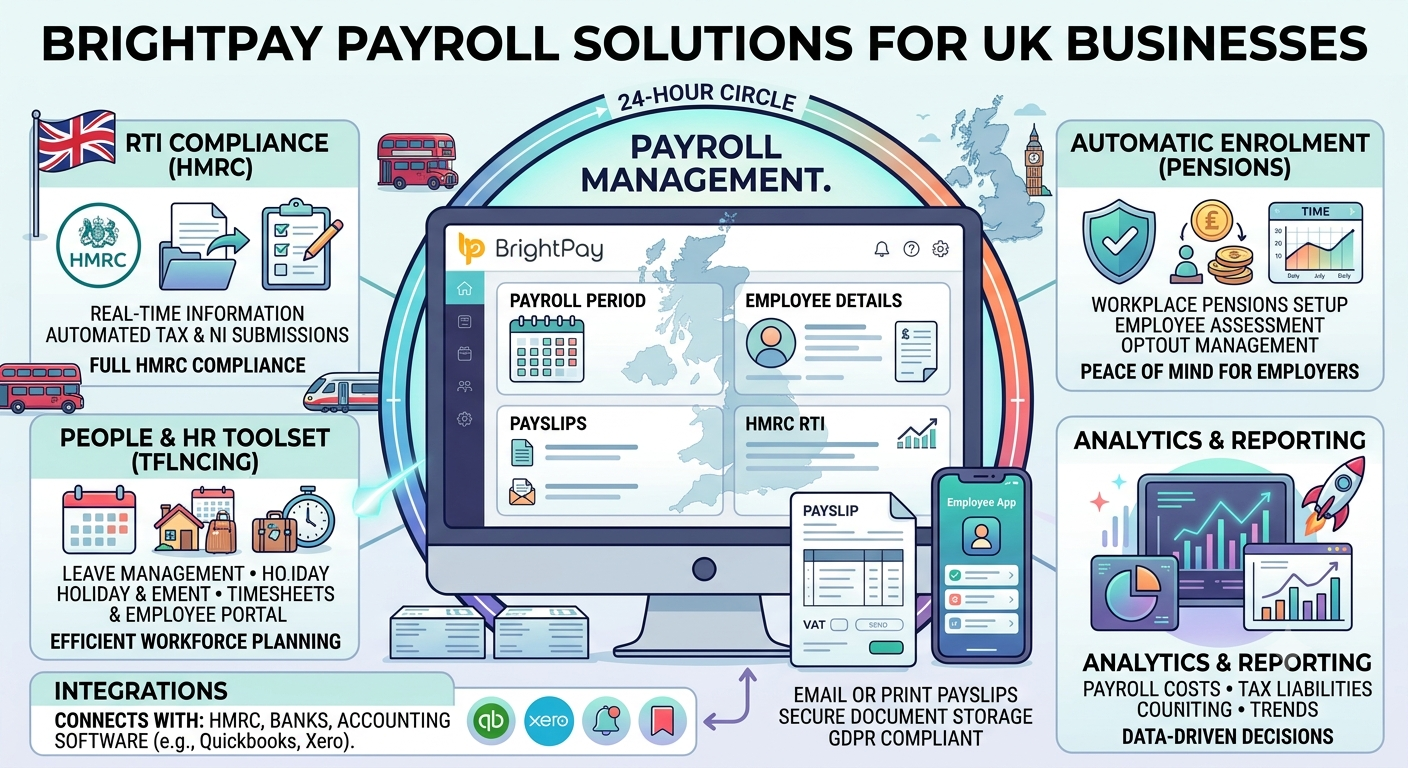
- RTI and HMRC Compliance: Full recognition for submissions, including FPS, EPS, and CIS where applicable.
- Auto Enrolment: Automated pension processes, worker assessments, and communications.
- Payslip Generation: Professional, customisable payslips with easy distribution.
- Reporting and Analytics: Detailed payroll reports, year-to-date figures, and audit trails.
- Multi-User Collaboration: Real-time access in the cloud version for teams.
Additional tools include holiday management, statutory payments (sick pay, maternity), and integration capabilities with accounting software.
BrightPay Connect enhances this with cloud backup, employer dashboard, and employee self-service.
BrightPay Cloud: The Modern Payroll Platform
The transition to BrightPay cloud marks a significant upgrade. Desktop versions are being phased out after April 2026 for the 2026/27 tax year, pushing users toward the fully cloud-based solution.
Advantages of BrightPay Cloud:
- Secure Microsoft Azure hosting with enterprise encryption.
- Access from anywhere on PC, Mac, tablet, or phone.
- Real-time multi-user editing without conflicts.
- Automated backups and easier scaling for bureaus.
BrightPay cloud login uses Bright ID credentials for seamless access. Employers manage payroll centrally, while employees use dedicated portals.
Accessing BrightPay Login Options
BrightPay employer login and BrightPay cloud login are straightforward:
- Visit the official site and sign in with your Bright ID (email and password).
- New users create a Bright ID with company details.
- For BrightPay employee login, use the employee portal or app with invitation credentials.
BrightPay Connect provides an additional dashboard for backups and self-service. Employers can invite staff for secure access without sharing full payroll data.
Security features like two-factor authentication add protection for sensitive information.
BrightPay Payslips and Employee Self-Service
One of the most appreciated aspects is how BrightPay payslips are handled. Employees receive notifications when payslips are ready and can view or download them securely.
How do I access my BrightPay payslip?
- Log into the BrightPay employee portal or BrightPay app.
- Navigate to documents or payslips section.
- Download PDF versions including historical records and P60s.
BrightPay payslips login is employee-specific. Employers control visibility dates and permissions via BrightPay Connect.
The BrightPay app (available on iOS and Android) lets employees browse payslips, request leave, view calendars, and update personal details on the go.
This self-service reduces HR queries and empowers staff with instant access.
BrightPay for Different Users: Employers, Bureaus, and Employees
- Small Businesses: Affordable licensing with strong automation for PAYE and pensions.
- Accountants and Bureaus: Batch processing, multi-client management, and efficient submissions.
- Employees: BrightPay employee tools focus on transparency and convenience through the app and portal.
BrightPay HR elements include leave management and document sharing, bridging payroll and basic HR needs.
Comparison Table: BrightPay vs Traditional Payroll Methods
| Aspect | BrightPay Cloud | Manual/Spreadsheet | Other Software |
|---|---|---|---|
| Compliance (RTI/HMRC) | Automatic updates, recognised | High error risk | Varies |
| Multi-User Access | Real-time collaboration | Limited | Often restricted |
| Employee Access | App + Portal for payslips | Email/manual requests | Varies |
| Auto Enrolment | Built-in automation | Manual tracking | Add-on costs |
| Cost Efficiency | Scalable licensing | Time-intensive | Higher for similar features |
| Accessibility | Cloud, mobile | Desktop-bound | Mixed |
This table highlights why many switch to BrightPay payroll solutions.
Is BrightPay Payroll Good? User Insights and Considerations
Reviews generally praise BrightPay for its ease of use, reliable support, and compliance focus. Users note clear navigation that reduces payroll stress. Support teams receive positive feedback for helpfulness during transitions or data issues.
Potential drawbacks include the learning curve during the desktop-to-cloud shift and licensing costs for larger operations (though free options exist for very small setups). Bureau users appreciate batch tools, while SMEs value the employee self-service that cuts down on admin.
BrightPay download links for legacy desktop versions are available for previous tax years, but new processing moves to cloud.
Pricing and Getting Started with BrightPay
BrightPay offers annual licensing per tax year. Plans scale by number of employees or clients (for bureaus). A 60-day trial and demos help businesses evaluate fit. Contact sales for current UK pricing details.
Steps to Start:
- Book a demo or sign up for trial.
- Create Bright ID.
- Set up employer details and import data if migrating.
- Configure Auto Enrolment and test a payroll run.
- Invite employees to self-service via BrightPay Connect.
Migration from desktop is supported with guidance.
People Also Ask and Search For
Common queries include How do I access my BrightPay payslip? (via employee portal or app) and How to Download BrightPay? (cloud access or legacy installers). Searches for BrightPay payslips, BrightPay employer login, BrightPay payslips login, BrightPay HR, Brightpay app, BrightPay – download, BrightPay Connect, and BrightPay employee reflect interest in practical usage.
BrightPay Connect stands out for backups and dashboards.
FAQ: BrightPay Payroll Solutions
1. How do I access my BrightPay payslip?
Log into the employee portal at employee.brightpay.com or use the BrightPay Employee app with your credentials. Payslips appear in the documents section once finalised.
2. What is BrightPay Cloud Login?
Use your Bright ID (email/password) on the BrightPay cloud platform for secure employer access. Existing Connect users can use the same details.
3. Is BrightPay payroll good for small businesses?
Yes, many users find it reliable, user-friendly, and compliant, with strong support and automation that saves time.
4. How does the BrightPay app work?
The mobile app allows employees to view/download payslips, request leave, and access documents securely from anywhere.
5. What is BrightPay Connect?
A cloud service for data backup, employer dashboards, and employee self-service portals.
6. Can I still download BrightPay desktop version?
Legacy versions for previous tax years are available, but new payroll uses the cloud platform post-2026.
7. Does BrightPay support employee logins?
Yes, through dedicated BrightPay employee login portals and the app for self-service.
Conclusion
BrightPay payroll solutions for UK businesses deliver a comprehensive, compliant, and increasingly cloud-native experience. From streamlined BrightPay payroll processing to convenient BrightPay payslips access for employees, the platform reduces complexity in a regulated environment.