





Running a limited company in the UK requires regular interaction with Companies House for filings like confirmation statements, accounts, and director updates. The UK Companies House login process is your gateway to these essential tasks. Whether filing your first confirmation statement or managing ongoing compliance, understanding how to navigate Companies House login UK can save time, avoid penalties, and keep your business in good standing.
This guide provides practical steps, insights into WebFiling Companies House login, authentication codes, and common queries. It aims to demystify the system for directors, company secretaries, and accountants.
Why UK Companies House Login Matters for Business Owners
Companies House maintains the public register of UK companies. Timely filings ensure transparency and compliance with the Companies Act. Late submissions incur penalties, and repeated issues can lead to director disqualification or company strikes.
A smooth Companies House login process supports key activities like filing confirmation statements (replacing annual returns) and updating details. With identity verification via GOV.UK One Login and services like ACSP (Authorised Corporate Service Providers), the system balances security and accessibility.
Business owners benefit from real-time access to filing history, officer details, and company information, aiding due diligence and strategic decisions.
How to Create and Use Your Companies House Login
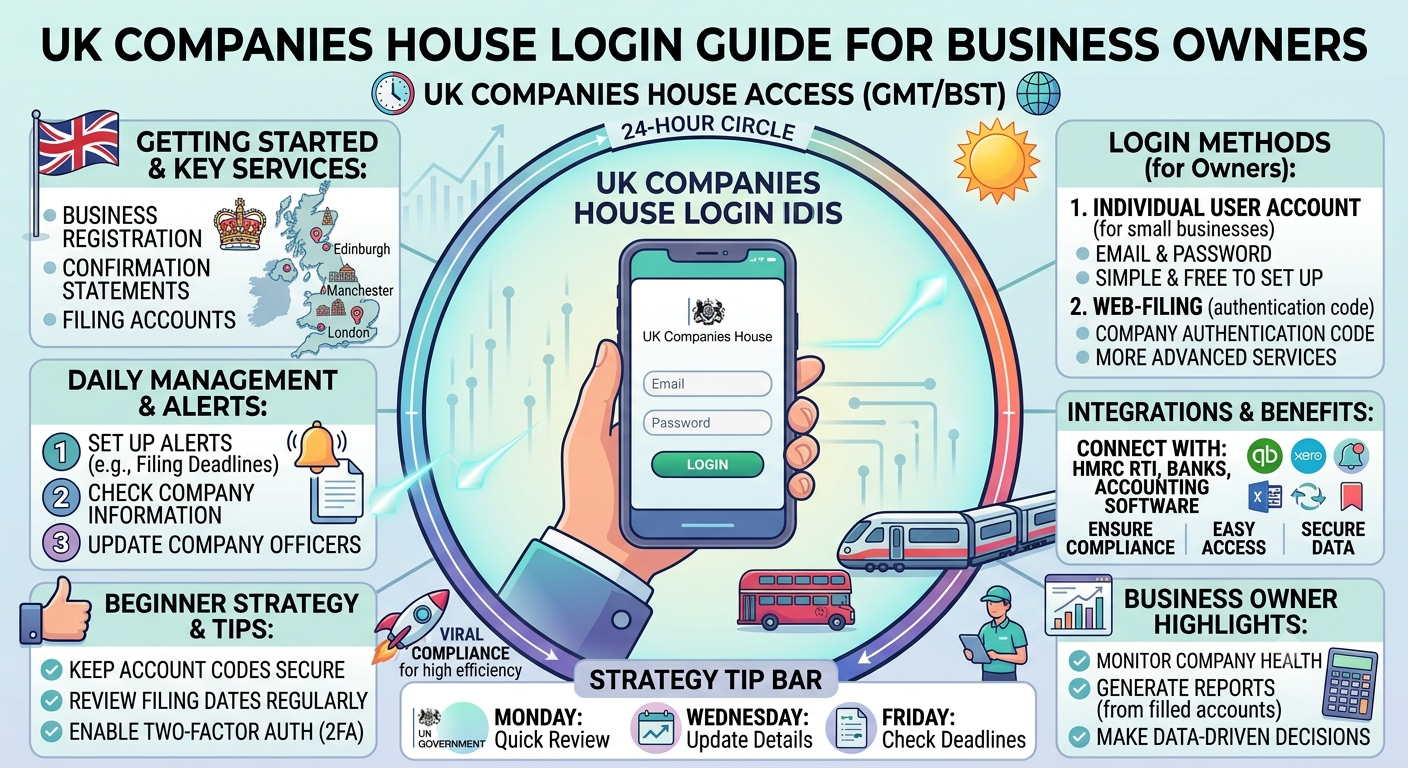
Step 1: Register or Sign In Visit the official Companies House WebFiling or sign-in portal. Use GOV.UK One Login for many services. Enter your email and set up secure credentials with two-factor authentication where required.
Step 2: Link or Verify Your Company After signing in, add your company by entering its registration number. This connects your personal account to the business for filings.
Step 3: Handle Authentication Codes The company authentication code (6-character alphanumeric) authorises online filings. It is sent by post to the registered office or an officer’s home address upon request.
Companies House login with authentication code is required for sensitive actions like filing confirmation statements.
Companies House WebFiling: Your Main Filing Portal
WebFiling Companies House login gives access to file accounts, confirmation statements, and changes to directors or addresses.
- Log in at the dedicated WebFiling service.
- Select your company and choose the filing type.
- Review pre-populated details and make updates.
Companies House login Webfiling now integrates with modern authentication for better security. For Companies House login confirmation statement, you’ll confirm no changes or declare updates, then submit with the authentication code.
Deep insight: Many business owners underestimate the value of timely confirmation statements (due annually). Accurate filings maintain credibility with lenders, suppliers, and customers who check the public register.
Checking Company Details on Companies House
How can I check on a company? Use the free search tool at Companies House.
How can I check a registered company? Enter the name or number on the “Find and update company information” service. Results show status, registered office, officers, filing history, and documents.
Where can I check the company details? The public register provides:
- Incorporation date and status (active, dissolved).
- Directors and secretaries.
- Accounts and confirmation statements.
- Charges (mortgages).
Companies House search and Companies House BETA services offer advanced filters for thorough due diligence. Set up email alerts for updates on specific companies.
Understanding the Company Authentication Code
What is the company authentication code? It acts as an electronic signature for filings. Each company has one, issued by Companies House.
Request it via WebFiling if missing it arrives by post for security. You can change it to a memorable version but keep it secure. Never share it casually.
For HMRC Companies House login overlaps, note that while related (e.g., for corporation tax), they are separate systems. GOV.UK One Login helps unify some access.
ACSP and Advanced Login Options
ACSP Companies House login is for Authorised Corporate Service Providers (accountants, agents) who file on behalf of clients. Registration involves identity verification and creates a dedicated agent account.
This streamlines bulk filings and identity verification for directors.
Table: Common Companies House Login Scenarios
| Scenario | Required Login/Elements | Tips |
|---|---|---|
| File Confirmation Statement | WebFiling + Authentication Code | Due annually; £50-£150 penalties if late |
| Check Company Details | Public Search (no login needed) | Use advanced search for directors |
| Update Director Info | WebFiling Account | Verify identity via One Login |
| ACSP Filing for Clients | Authorised Agent Account | Useful for accountants |
| Request New Auth Code | WebFiling or Postal Request | Sent to registered office |
This overview clarifies everyday tasks.
Troubleshooting Common Login Issues
- Forgotten password: Use recovery via email.
- Missing authentication code: Request a new one (5+ working days by post).
- One Login problems: Ensure consistent email addresses across services. Contact Companies House support for verification delays.
- BETA service glitches: Use stable WebFiling for critical filings.
Always use official GOV.UK links to avoid phishing.
People Also Search For and Related Topics
Searches often include Companies House WebFiling, Companies House WebFiling Login, Companies House Login confirmation statement, Companies House account, ACSP Companies House Login, File confirmation statement Companies House, Companies House search, and Companies House BETA. These reflect needs around practical compliance and information access.
FAQ: UK Companies House Login Guide
1. How do I perform UK Companies House login?
Sign in via the official portal using GOV.UK One Login credentials. Link your company for filings.
2. What is needed for Companies House login confirmation statement?
WebFiling account, company authentication code, and possibly identity verification.
3. How can I get or change my company authentication code?
Request via WebFiling; it posts to the registered office. Manage changes in your account.
4. Where can I check company details?
Use the free search on the Companies House website no login required for basic info.
5. What is Companies House WebFiling?
The online service for filing documents like accounts and confirmation statements.
6. Do I need HMRC Companies House login?
Separate accounts; HMRC handles tax, Companies House handles registration and filings.
7. How does ACSP Companies House login work?
Authorised agents register for a dedicated account to file for multiple clients.
Conclusion
Mastering UK Companies House login empowers business owners to maintain compliance efficiently. From WebFiling Companies House login and authentication codes to checking details and using ACSP services, the tools are designed for accessibility with strong security.